SOVA OS PL

Your own IT infrastructure, built on open source.

SOVA OS combines the domain, sign-in, files, shared document editing and computer management in one open source platform: for everyday work and for management. For companies, schools, public offices and any organisation that wants to keep its data at home.

This is a prototype running on a single server. It is not yet ready for production use.
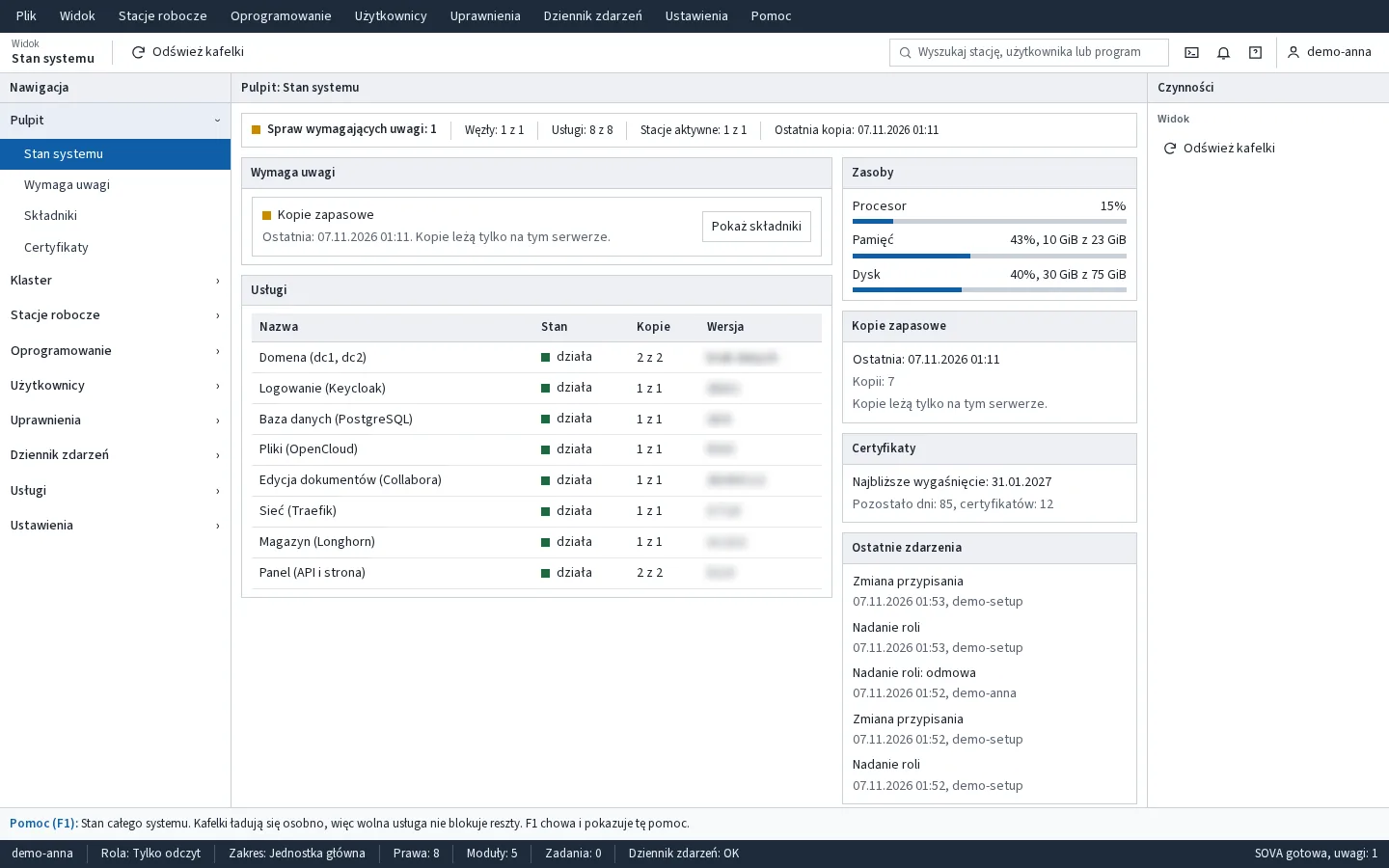
SOVA OS panel, “System status” view: a list of services (domain, sign-in, database, files, document editing, network, storage, panel) all marked as running, server resource usage, backup information, certificates and recent events. The interface is in Polish.
The administrator's panel: system status. Services, resources, backups and certificates on one screen. (Screenshots show the Polish interface.)

What it replaces

Instead ofIn SOVA OSStatus
Windows Server / Active DirectorySamba AD, two domain controllersworking
Sign-in to cloud servicesKeycloak: single sign-on, TOTP code for administratorsworking
OneDrive, SharePointOpenCloud with a desktop clientworking
Office in the browserCollabora: shared document editingworking
Windows workstationsFedora with KDE in the domain, LibreOfficeworking on a test workstation
Intune, hardware inventory toolsPanel and agent: hardware and software inventoryinventory working
Software deployment, remote desktopPanel modulesplanned

One panel for the IT administrator

Screenshots from the running prototype (demonstration data, Polish interface).
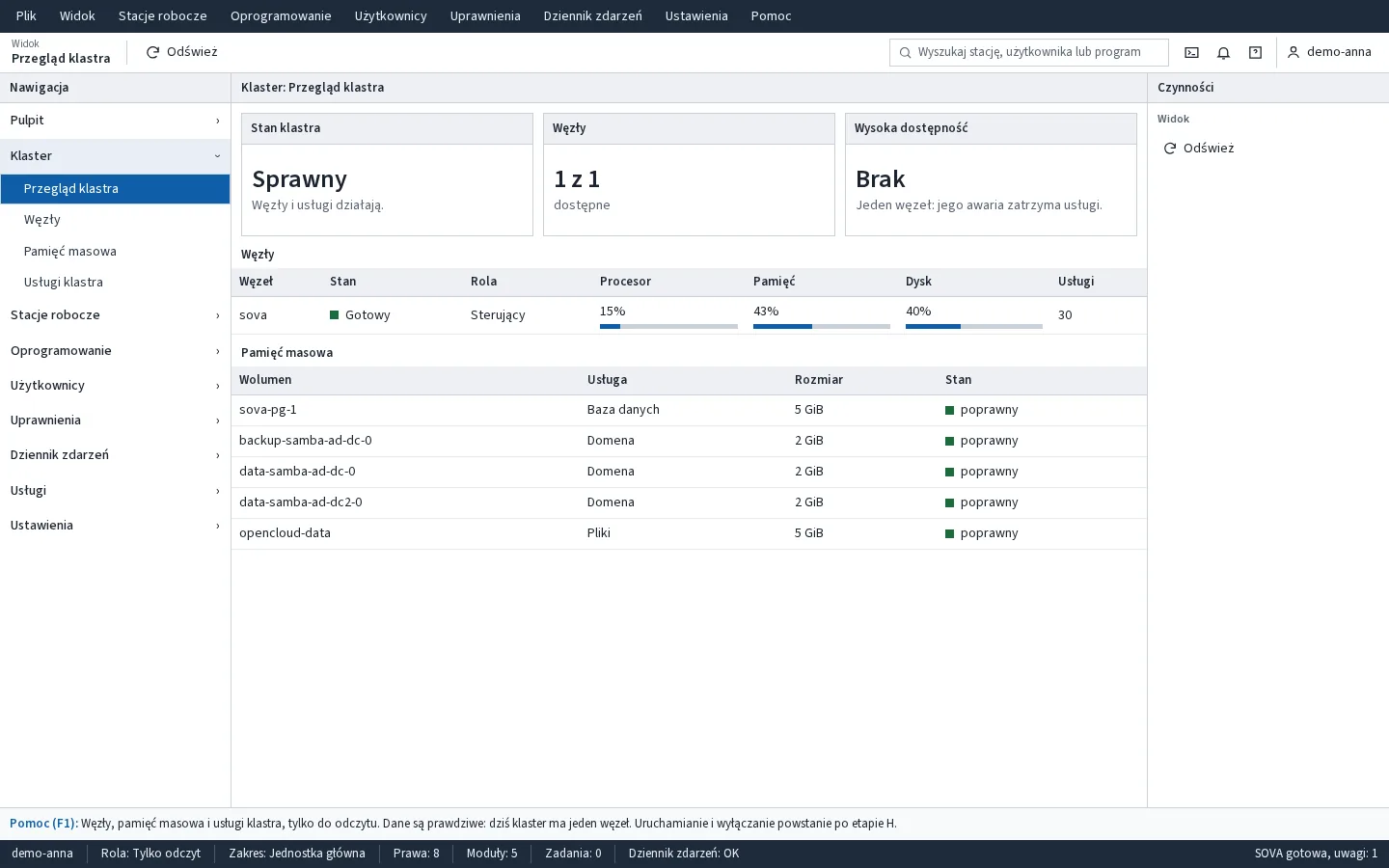
SOVA OS panel, “Cluster overview”: cluster status “Healthy”, one of one nodes available, high availability “None”, a table of nodes with CPU, memory and disk usage, and a list of volumes with status “correct”.
ClusterNodes, volumes and high availability, with no embellishment.
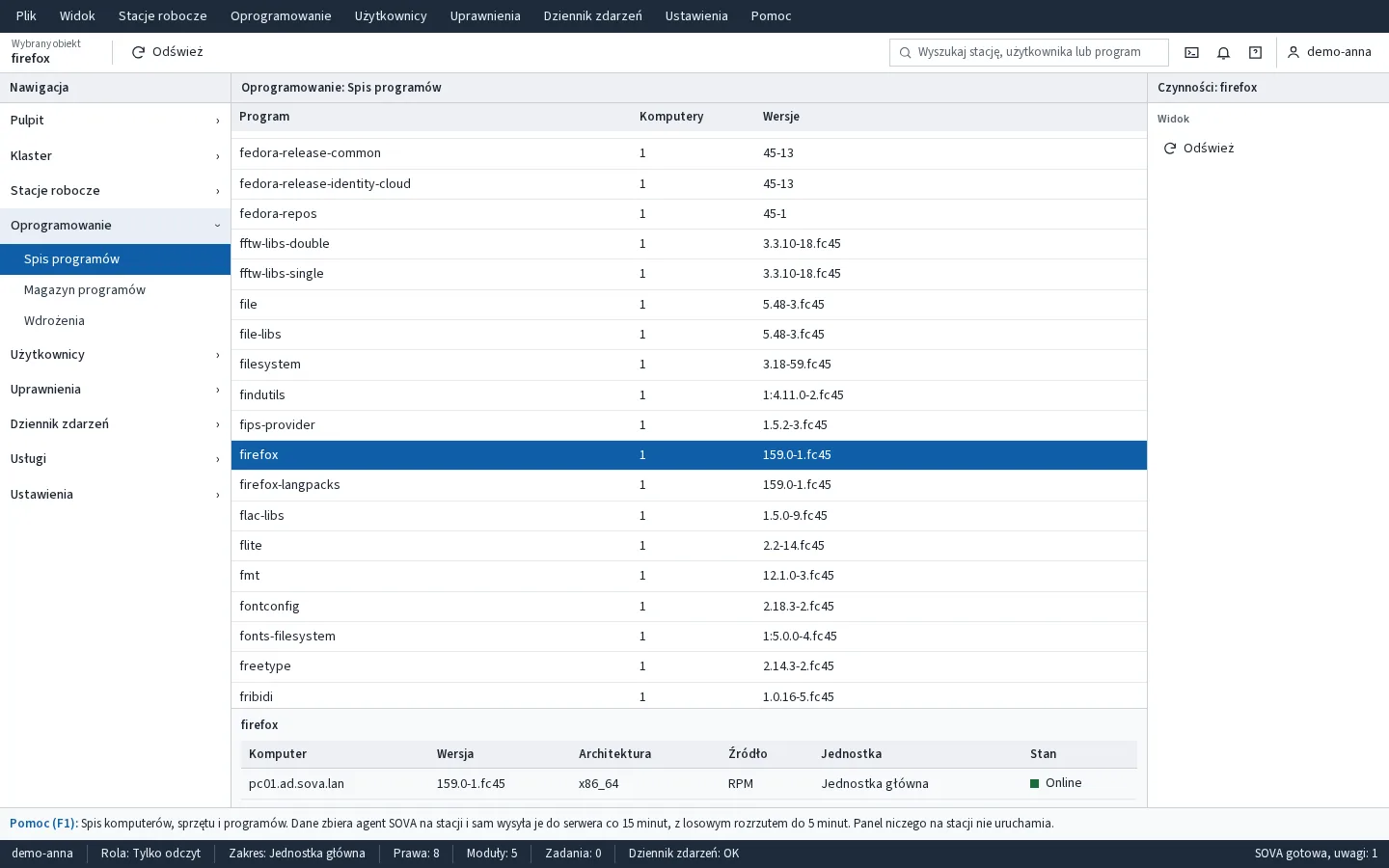
SOVA OS panel, “Software inventory”: a list of programs with the number of computers and versions, the program firefox selected, and below it the details: computer, version, architecture, source, unit and status.
Software inventoryWhich computer has which version.
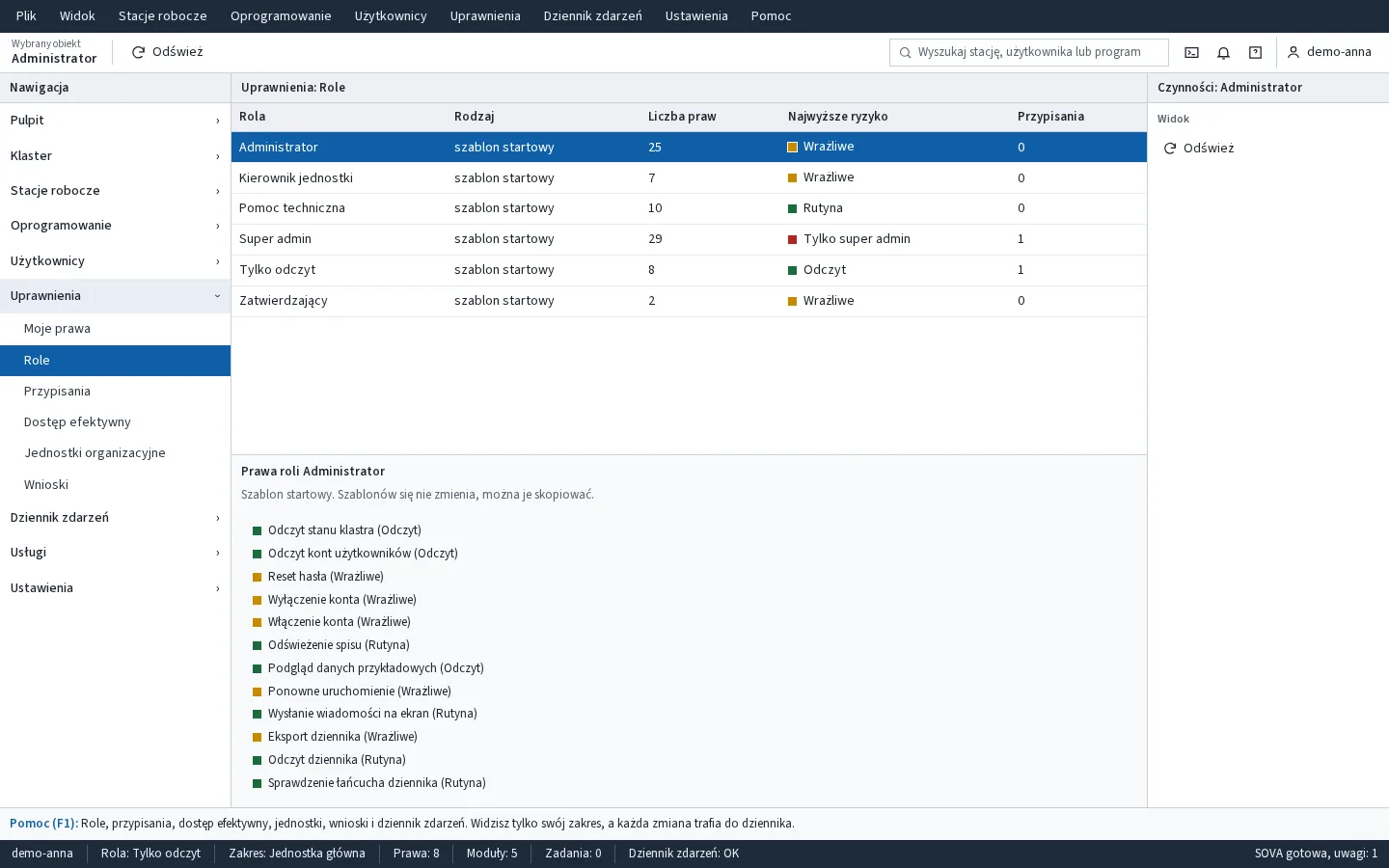
SOVA OS panel, “Roles”: a table of roles (Administrator, Unit manager, Technical support, Super admin, Read only, Approver) with the number of rights and the highest risk, and below it the rights of the selected role, each marked with its risk.
RolesWith the risk of every right.
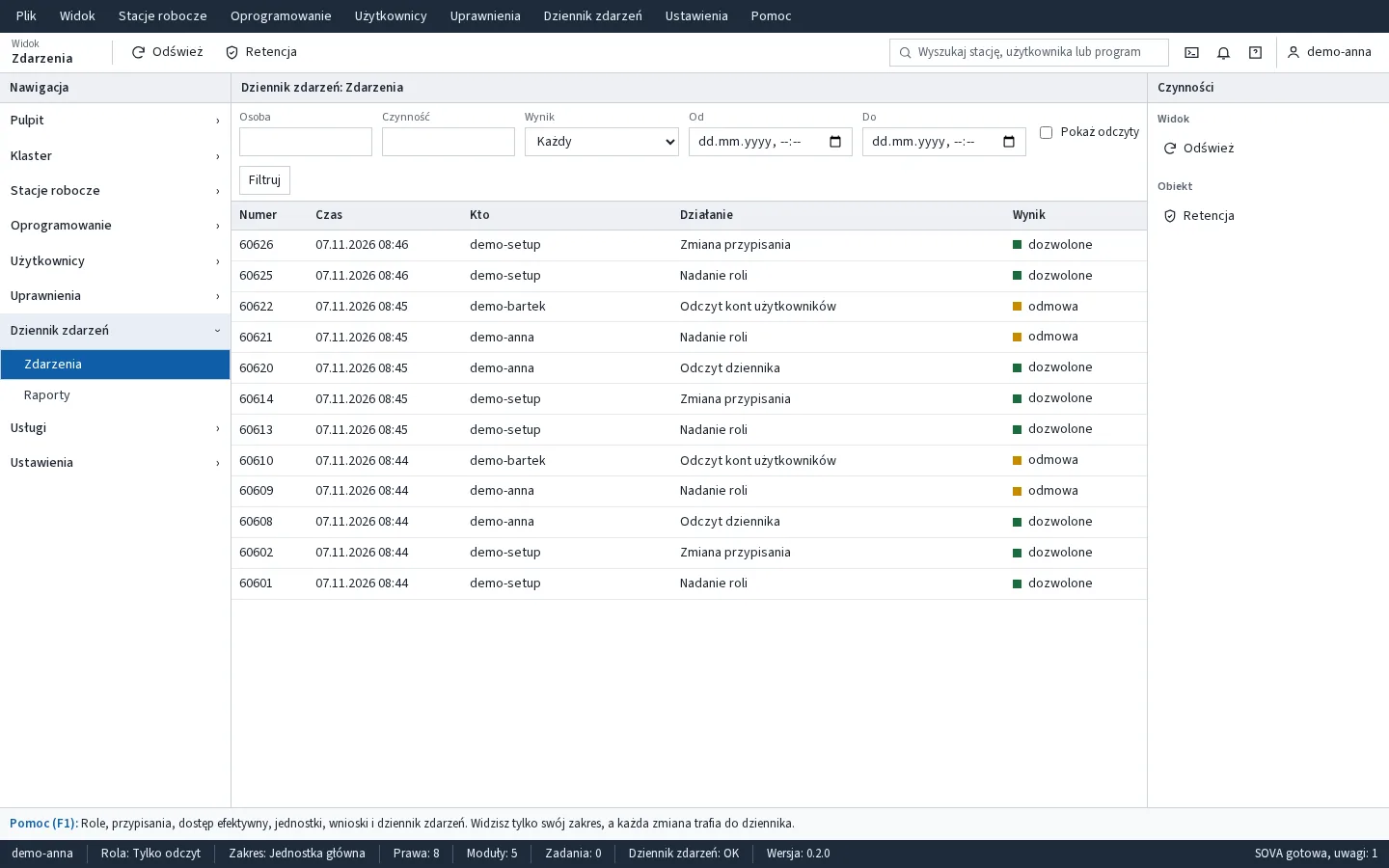
SOVA OS panel, “Event log”: filters (person, action, result, dates) and a table of events with number, time, person, action and result: allowed or denied.
LogWho, what, when and with what result.

The workstation

Fedora with KDE in the domain, single sign-on to files and shared document editing. Screenshots from a test workstation.
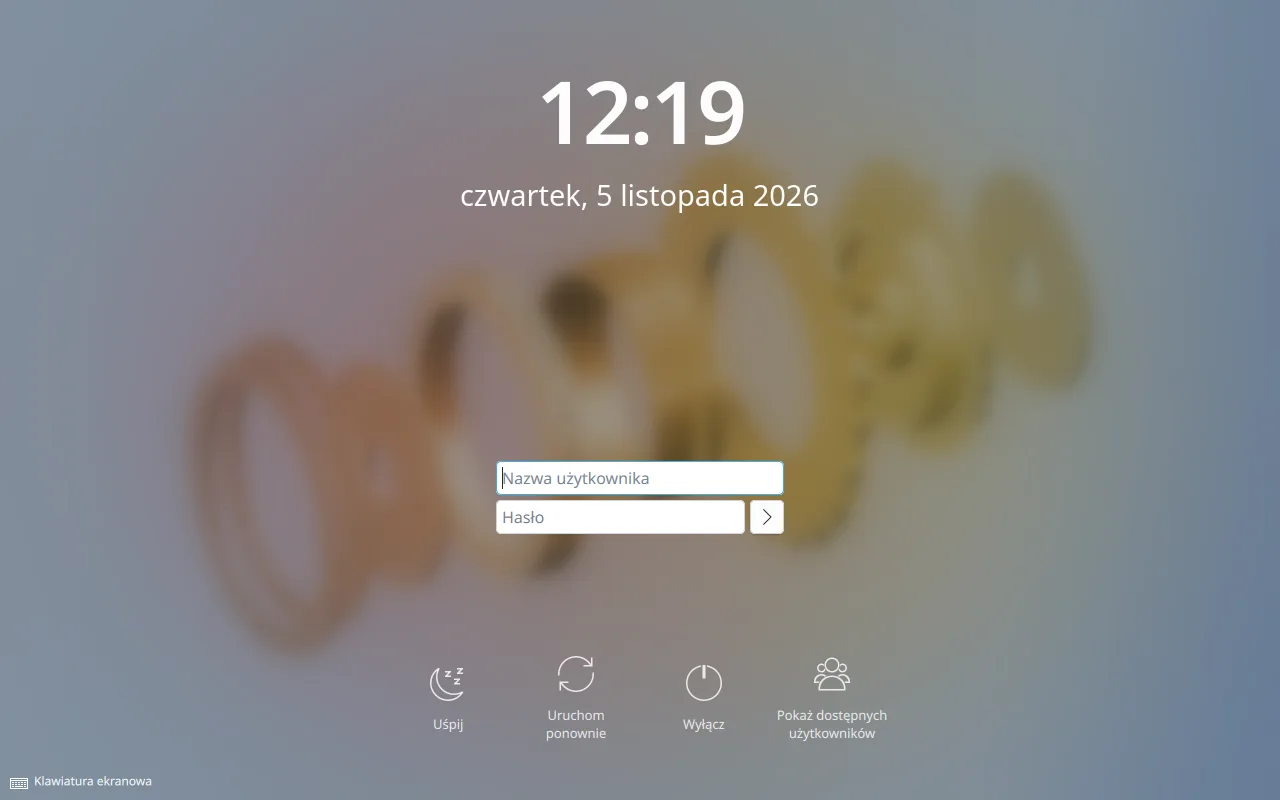

Workstation login screen: time, date, “Username” and “Password” fields and sleep, restart and shut down buttons. The interface is in Polish.
Workstation loginThe login screen, in Polish.
KDE Plasma desktop on Fedora: a wallpaper of colourful rings and gears and a panel with a menu, files, a browser and a clock.
KDE desktopAn ordinary, familiar desktop instead of Windows.
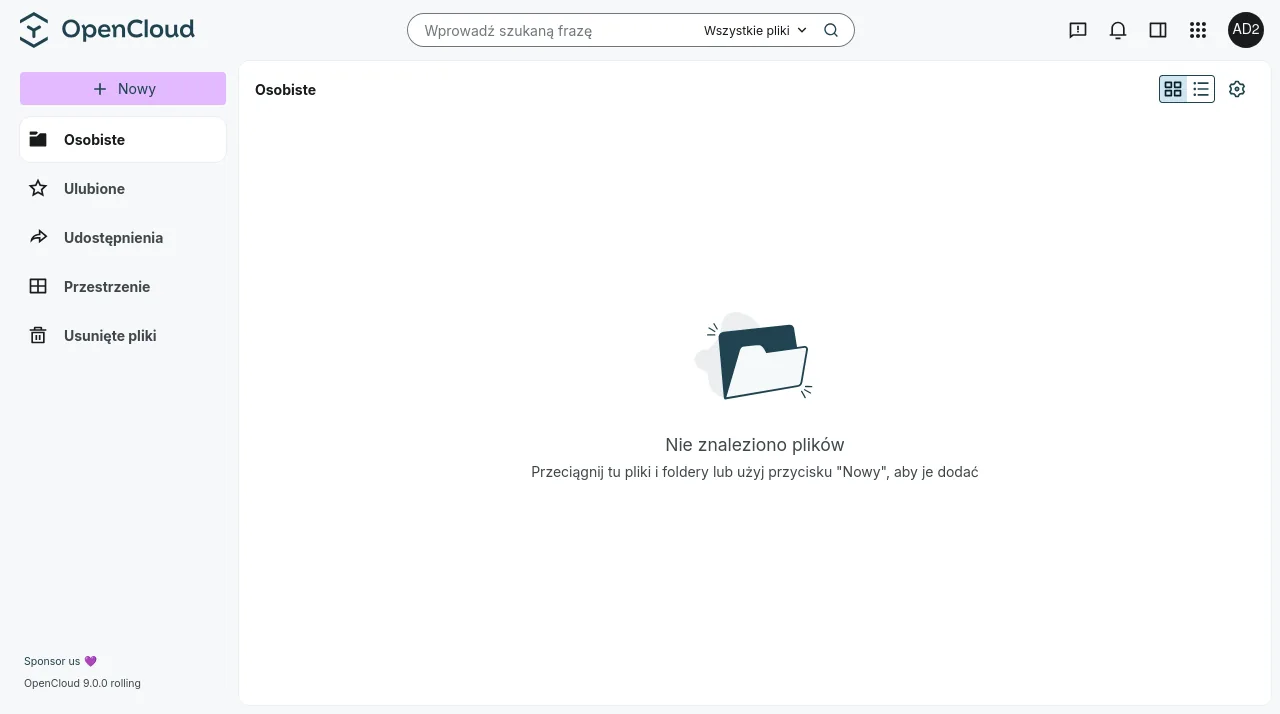
A browser with OpenCloud open, the “Personal” folder is empty. The user is already signed in and did not have to enter a password again.
Single sign-onOpenCloud opens without a login form.
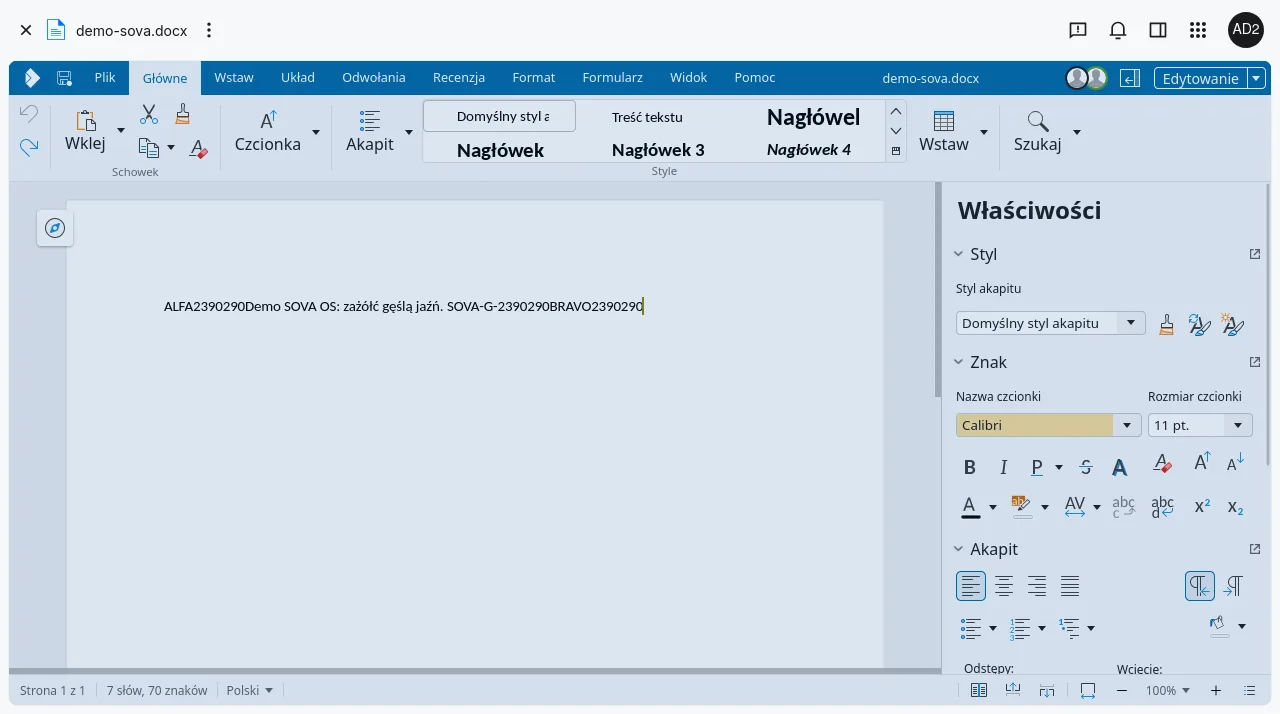
The document demo-sova.docx open in Collabora in the browser. The toolbar shows icons of two people editing the same document, and the text contains entries from both accounts.
Shared editingTwo people in one document (Collabora).

Principles

Permissions are described by three elements: who, in which role, and where (in which scope).

Data stays with you

Data stays on your own servers, not in a vendor's cloud.

A log that cannot be rewritten

Log entries form a hash chain. Changing an old entry can be detected.

Modules

The panel grows through modules. Software deployment and remote desktop are planned.

Open source

EUPL-1.2 licence, open source components.

Accessibility

Keyboard operation. Automated WCAG A and AA tests pass with no errors.

Tests on a live system

26 steps in about 90 minutes.

Status

Version 0.2.0 of 7 November 2026. Version 1.0.0 means ready for production.

StatusScope
workingDomain, sign-in, files and shared document editing on a single server
workingPanel: system status, accounts, permissions, log, workstations
plannedHigh availability on three servers
plannedOff-server backups (before production)
plannedHands-off workstation installation and software deployment
plannedRemote desktop, terminal, reports

About the author

Jarek Jurczak

Full-stack developer and systems engineer. I build business applications from design to deployment on a server.

How I work

Small steps. Each one ends with a working result and tests.

  • Web applications
  • Backend and integrations
  • InfrastructureVirtualisation, containers, clusters, networks, backups, deployments.
  • Security and accessSSO, 2FA, roles, permissions, event logs.
  • AutomationIncluding with AI agents.
  • QualityAutomated tests, code review, documentation.

Contact